
Hot desks booking exists to have the possibility to reserve flexible desks for a day or a specific time window.
Prerequisites for usage
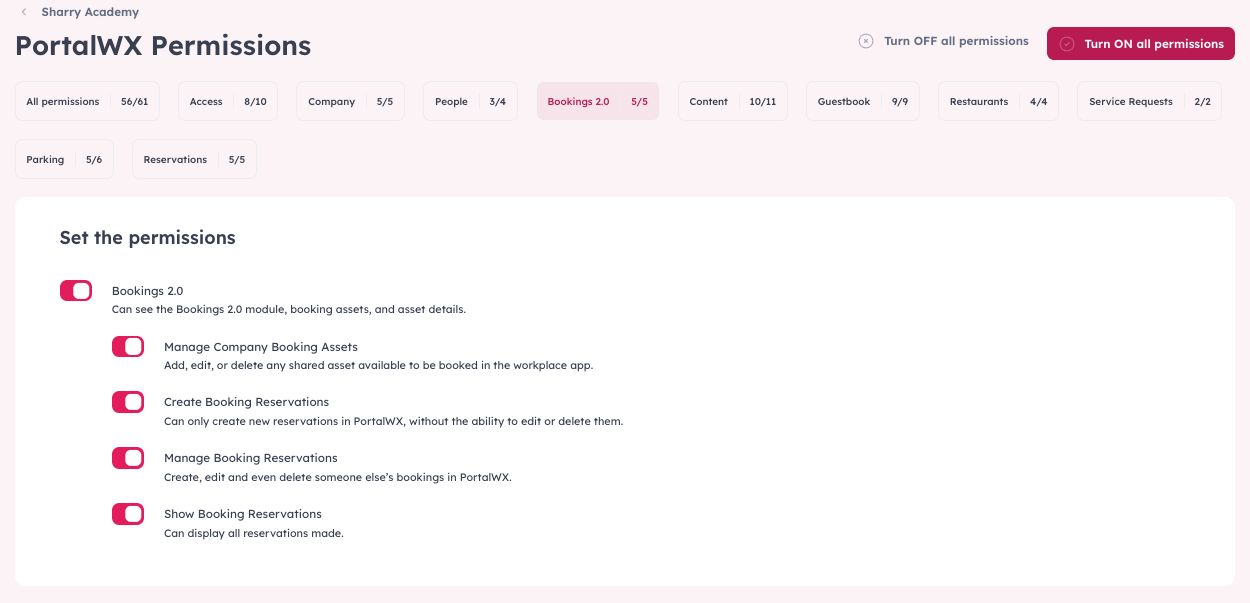
- Hot desk booking is enabled for your tenant/location; in other words, you have booking rights
How to book a desk
- Go to the "Amenities" module > "Bookings" > choose the "Hot Desks" from the category drop-down
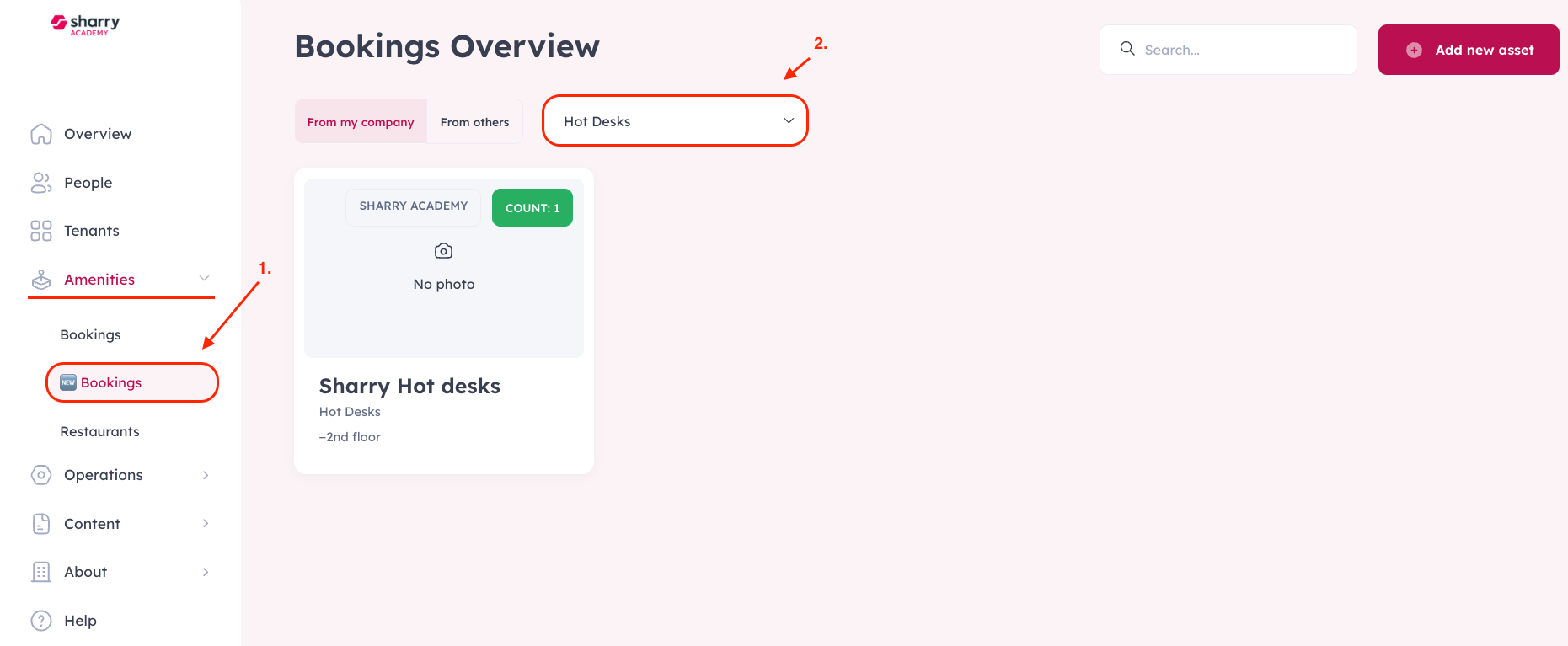
- Browse available desks
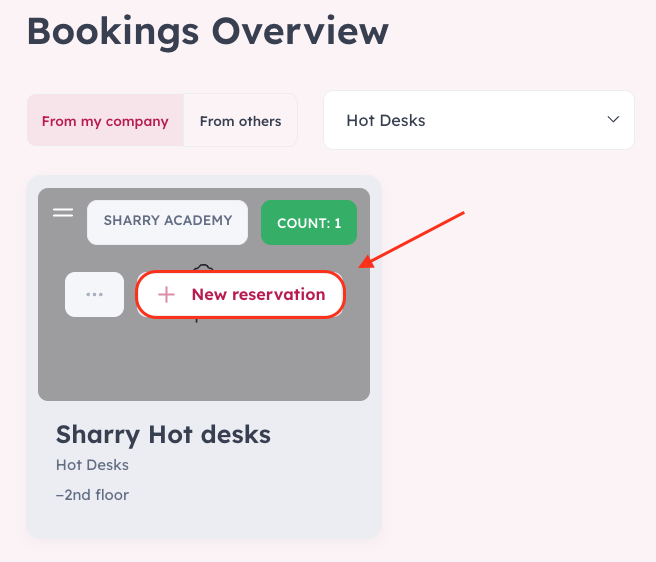
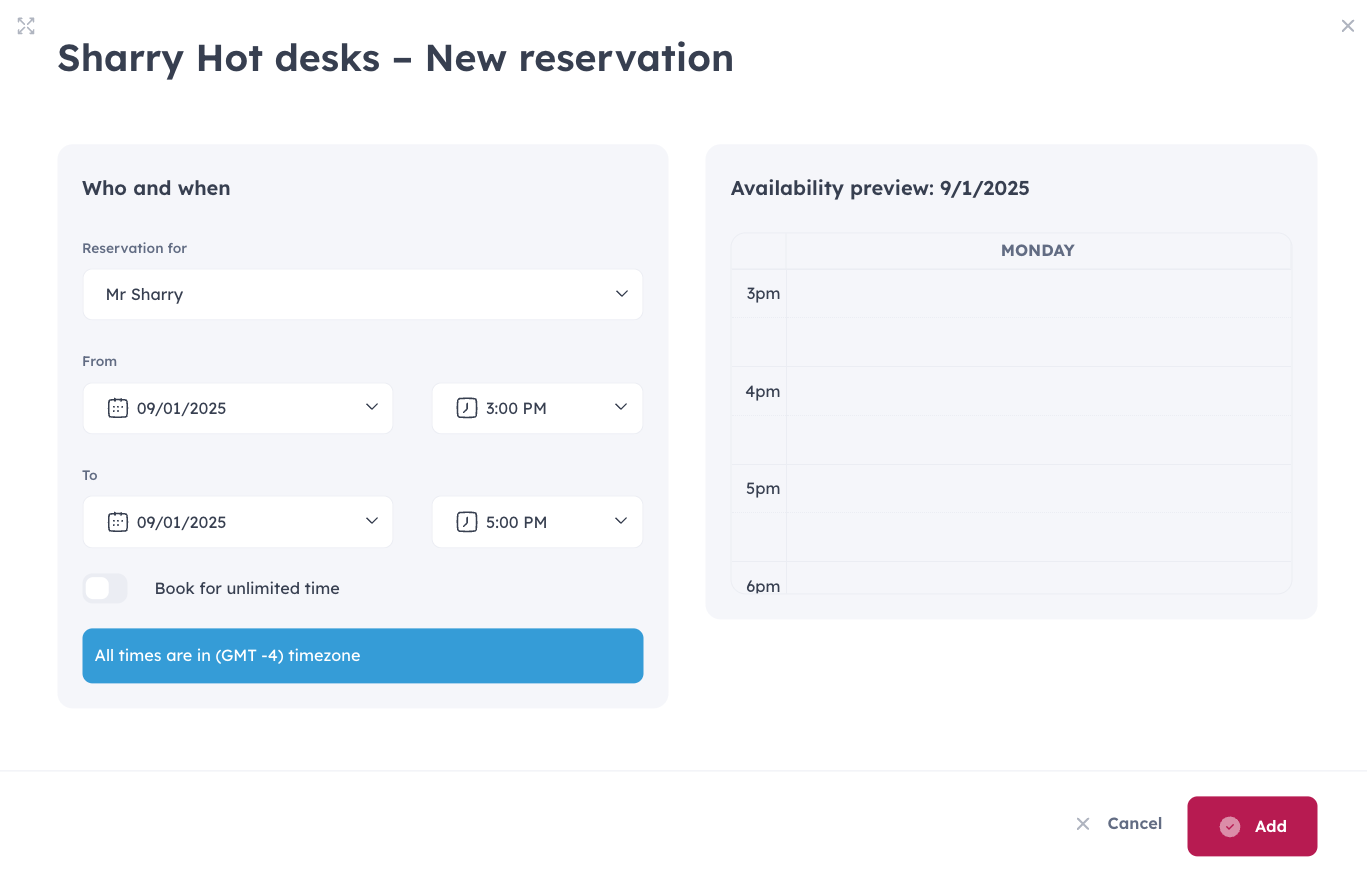
- Select a desk and click on the "New reservation" button, and proceed with the reservation details
Manage/edit/cancel
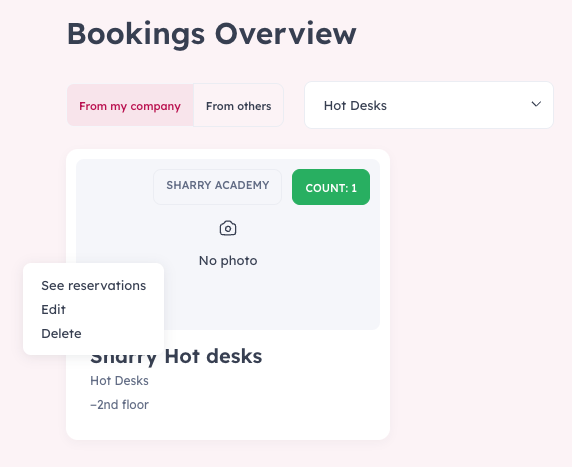
- In the bookings, choose the "From my company" filter, where all the manageable bookings will be visible
- Click on the three dots button of the desk asset, and choose from options: See reservations/Edit/Delete
Tips
- If your day changes, edit the existing booking rather than creating a duplicate.